Account infrastructure for product teams
One API for email, calendar and contacts
Aux0 connects the mailboxes, calendars and address books your users already hold — Gmail, Outlook, iCloud and any IMAP server — and hands you one object model to read and write across all of them. The syncing, retries and webhooks are ours.
One connected account free, forever. No card, no sales call.
Accounts they already have
What you ship
- 12providers
- 33capabilities
- 1object model
- 0sync to write
One shape, every provider
Unified APIWrite the integration once
A Gmail thread, a Microsoft Graph conversation and an IMAP mailbox come back as the same object. provider is a field, not a code path — so adding a provider is a row in your settings, not a sprint.
GET /v1/messages/:id
The same response, whichever provider it came from
Ids, timestamps, senders, attachments and reactions are normalised across providers. What a provider does not have is absent, never faked.
{ "id": "msg_2tKd9fQm", "thread_id": "thr_8Lp3nBxQ", "account_id": "acc_4Rz7mWvE", "provider": "gmail", "direction": "inbound", "subject": "Re: Renewal terms", "snippet": "Can you do Thursday 3pm CET?", "sent_at": "2026-10-22T13:58:04Z", "from": { "name": "Devika Menon", "address": "devika@northwind.io" }, "attachments": [], "labels": ["INBOX"]}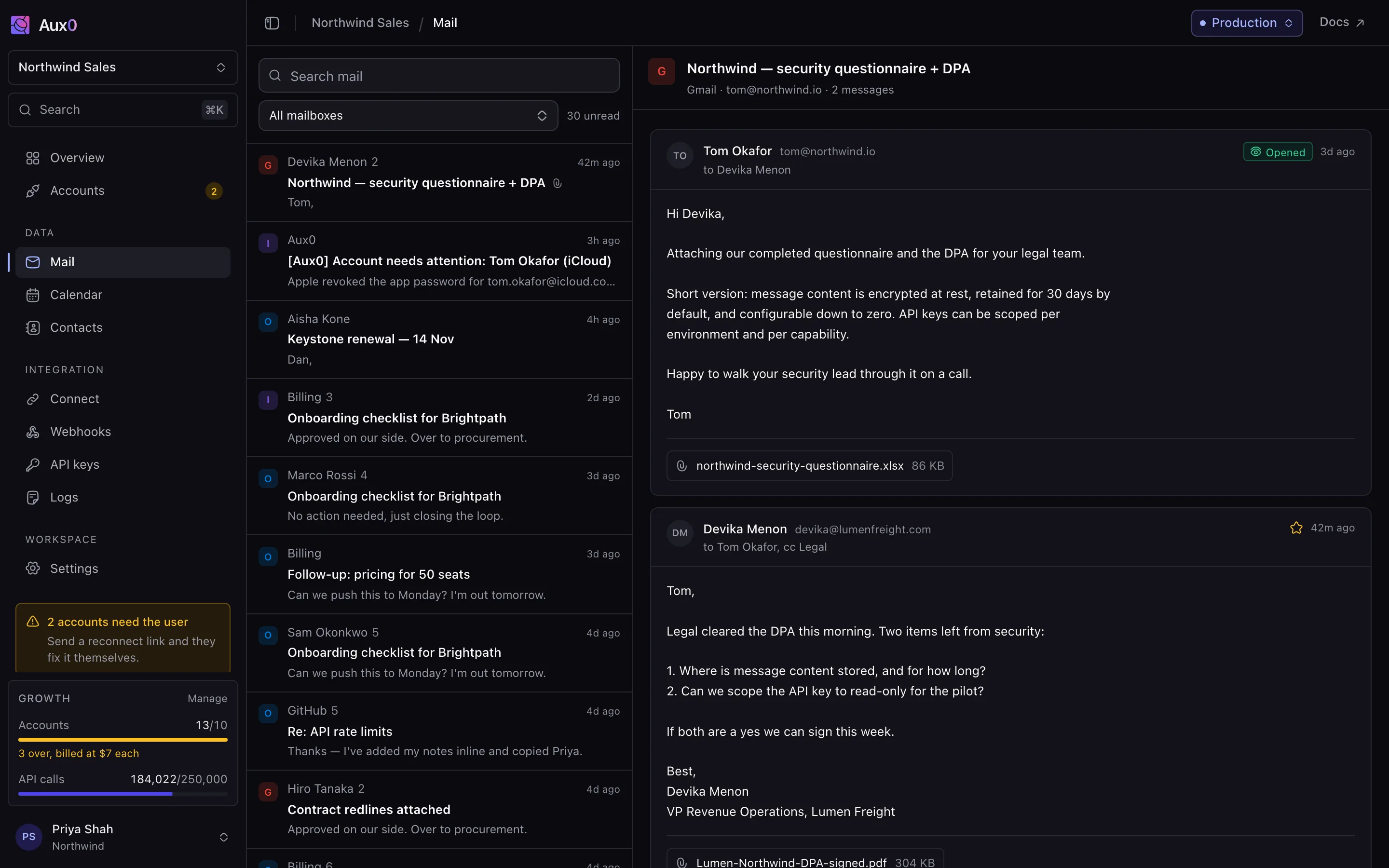
Aux0 runs the hard part
PlatformReaching a provider is a weekend. Staying connected is a year.
Session handling, pacing inside each provider's own windows, activity windows, a sync cursor that survives a reconnect, recovery your end users complete themselves, and delivery you can replay. None of it is visible on day one. All of it is yours forever if you build it.
Pacing
Queued, never rejected
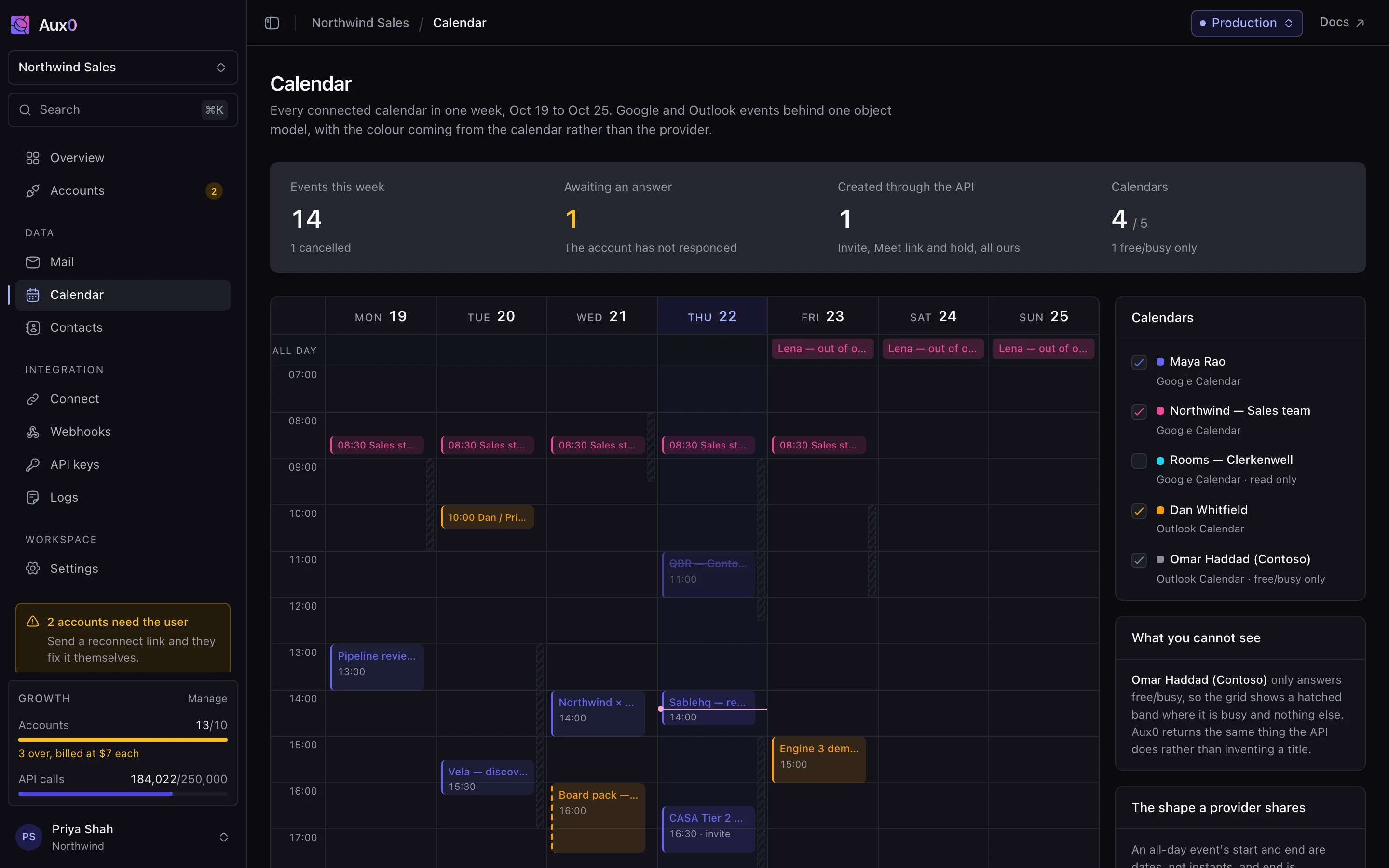
Aux0 tracks what every account has spent against every window it has, and holds a send until there is room. The remaining budget is on the account, so your scheduler can plan instead of discovering the limit by hitting it.
- Messages sent1660/2000 today
- Recipients4800/10000 today
- API units212/800 per second
- Backfill pages37/100 in flight
Activity window
It keeps the user's hours
A weekly window per account, in the account's own timezone, so it follows wall clock through a daylight-saving change. Work scheduled outside it waits for the window rather than running at three in the morning.
Sync
One cursor, held across reconnects
IMAP can invalidate a whole cursor without warning, and a naive sync answers by re-downloading the mailbox. Aux0 holds the position per account and reconciles rather than starting the backfill again.
- tom@northwind.io · Gmail
historyId 9f21a4live - maya@northwind.io · Outlook
delta #8c17live - lena@northwind.io · IMAP
uid 104192backfilling
Delivery
A dead endpoint costs you nothing
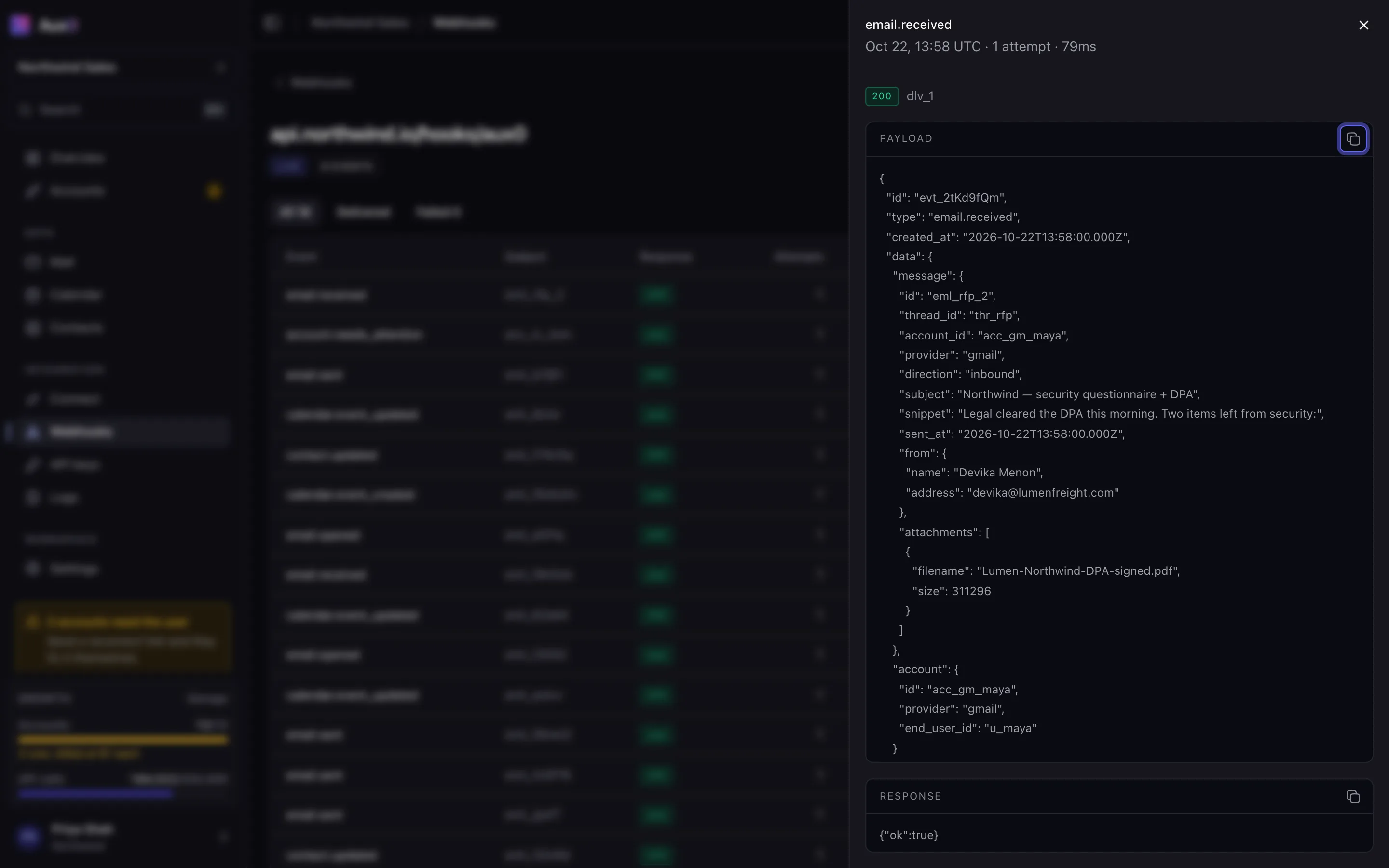
Signed with HMAC-SHA256, retried five times over about half an hour, held seven days, replayed from the dashboard or the API when you are back.
- 13:58:04try 1502 Bad GatewayFailed
- 13:58:34try 2502 Bad GatewayFailed
- 14:00:04try 3timeout after 10sFailed
- 14:06:04try 4502 Bad GatewayFailed
- 14:21:04try 5502 Bad GatewayFailed
- 15:40:11replay200 OKDelivered
Recovery
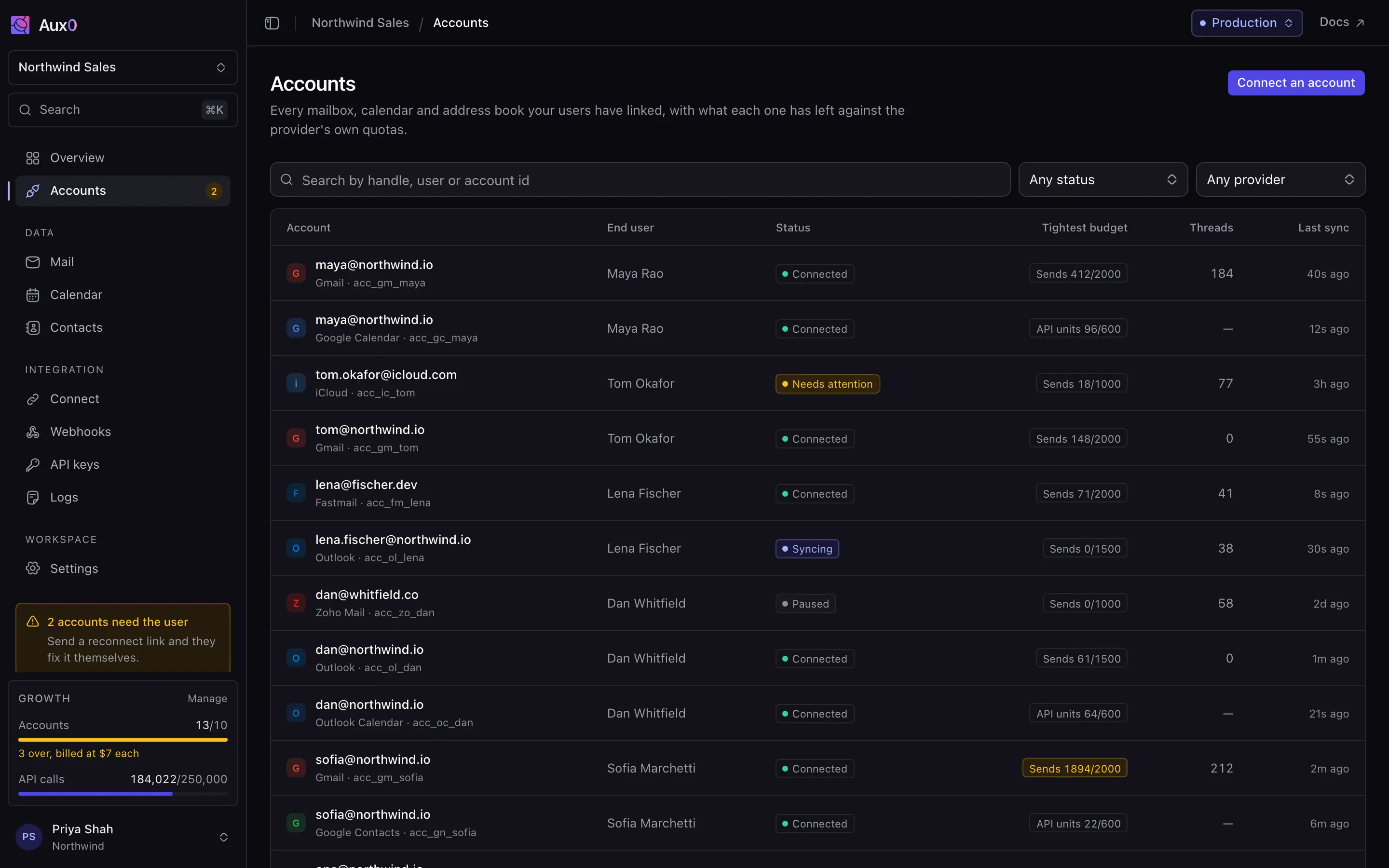
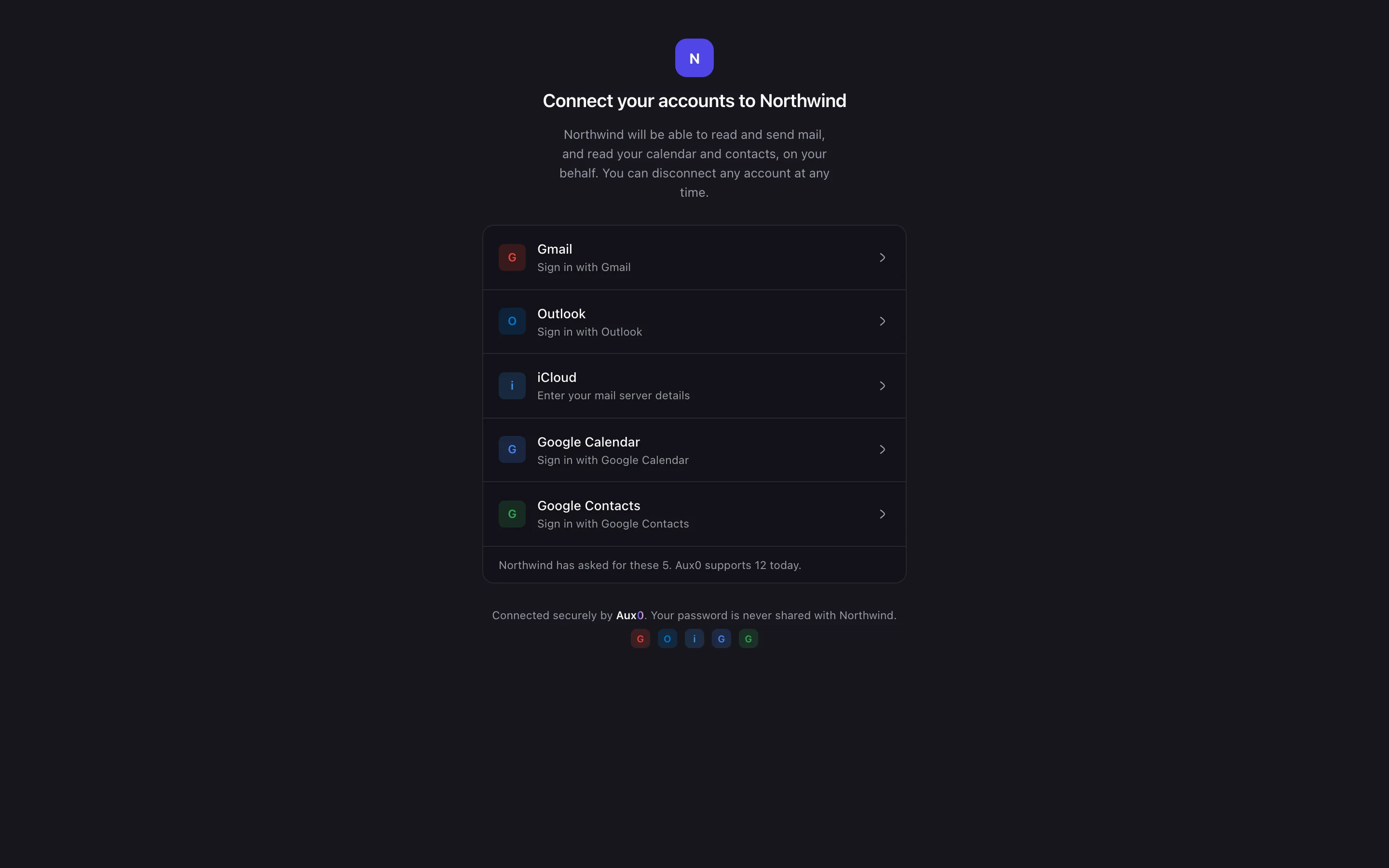
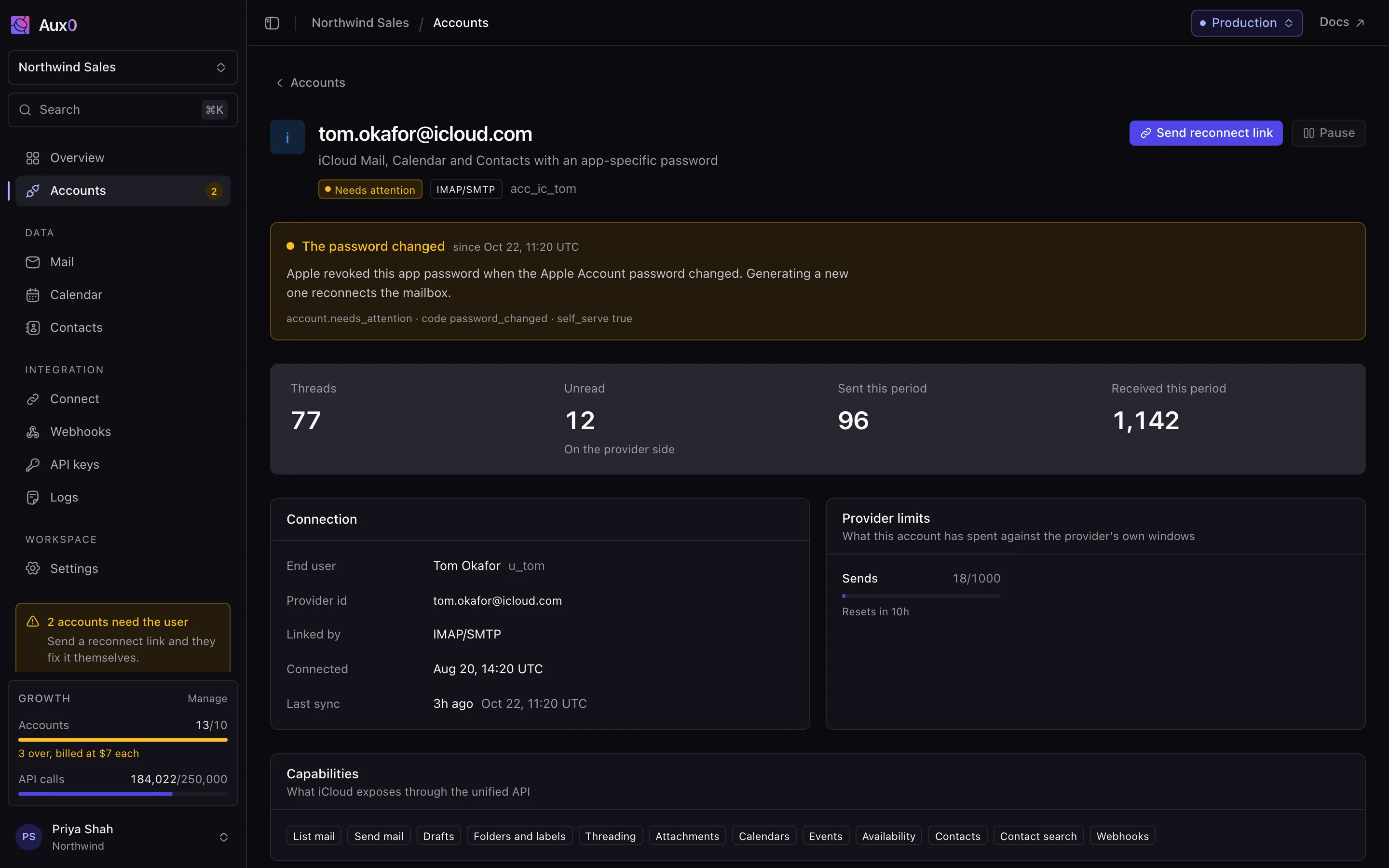
A reconnect is one webhook and a link your user already has
Providers interrupt sessions: a 2FA prompt, a logout on another device, a security check. The anti-pattern is treating it as an error — these are routine, they belong to the end user, and the user can fix one in under a minute.
- The refusal is detectedAux0
Not as a 4xx you have to decode. Sends for that account are queued rather than failed, and the sync cursor is held where it is.
- You get one eventWebhook
account.needs_user names the account, what the provider asked for, and the end user id you gave us.
- The user fixes itEnd user
The same hosted auth link that connected the account reconnects it. Written for them, not for your engineer. Under a minute.
- The queue drainsAux0
account.connected clears the notice and everything held while it was broken goes out, paced.
What you get
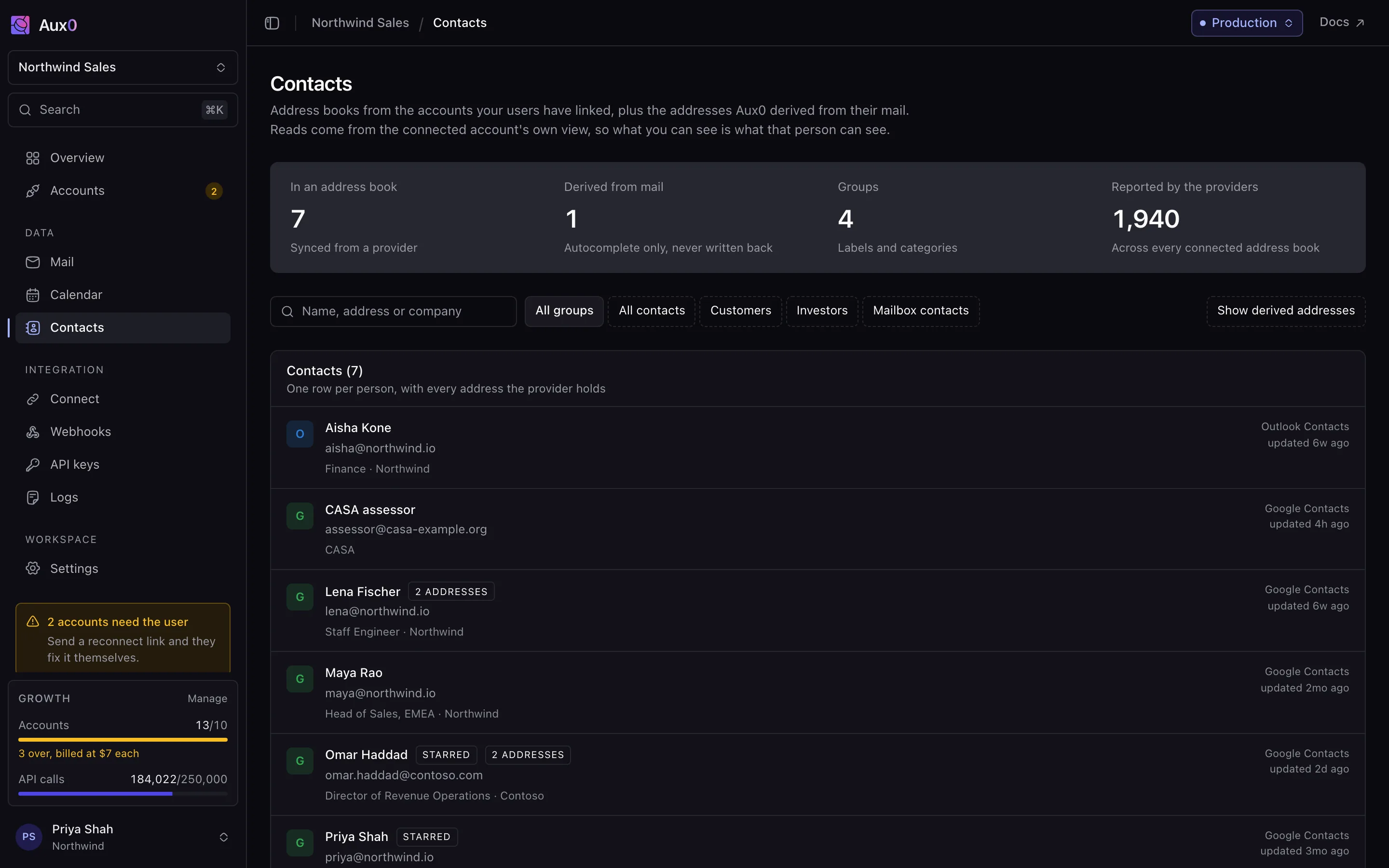
CapabilitiesEverything a channel integration needs, including the parts you find out about later
Not just a send endpoint. The unified reads, the social surface, the auth flow your users complete themselves, and the rate pacing and session recovery that decide whether any of it still works in month three.
Who this is for
PersonasSix jobs, one integration
The asks below are the requirements teams arrive with, written the way they are usually put to us — not quotations from customers. We have no names to put on a wall yet and will not borrow any.
Product engineer
An inbox or mail client product
“I want to build the client, not three sync layers. Gmail, Graph and IMAP are different products and I do not want to learn all of them.”
One thread model across every provider, with the send quota readable before you schedule against it.
For inbox products →Founder
A scheduling product
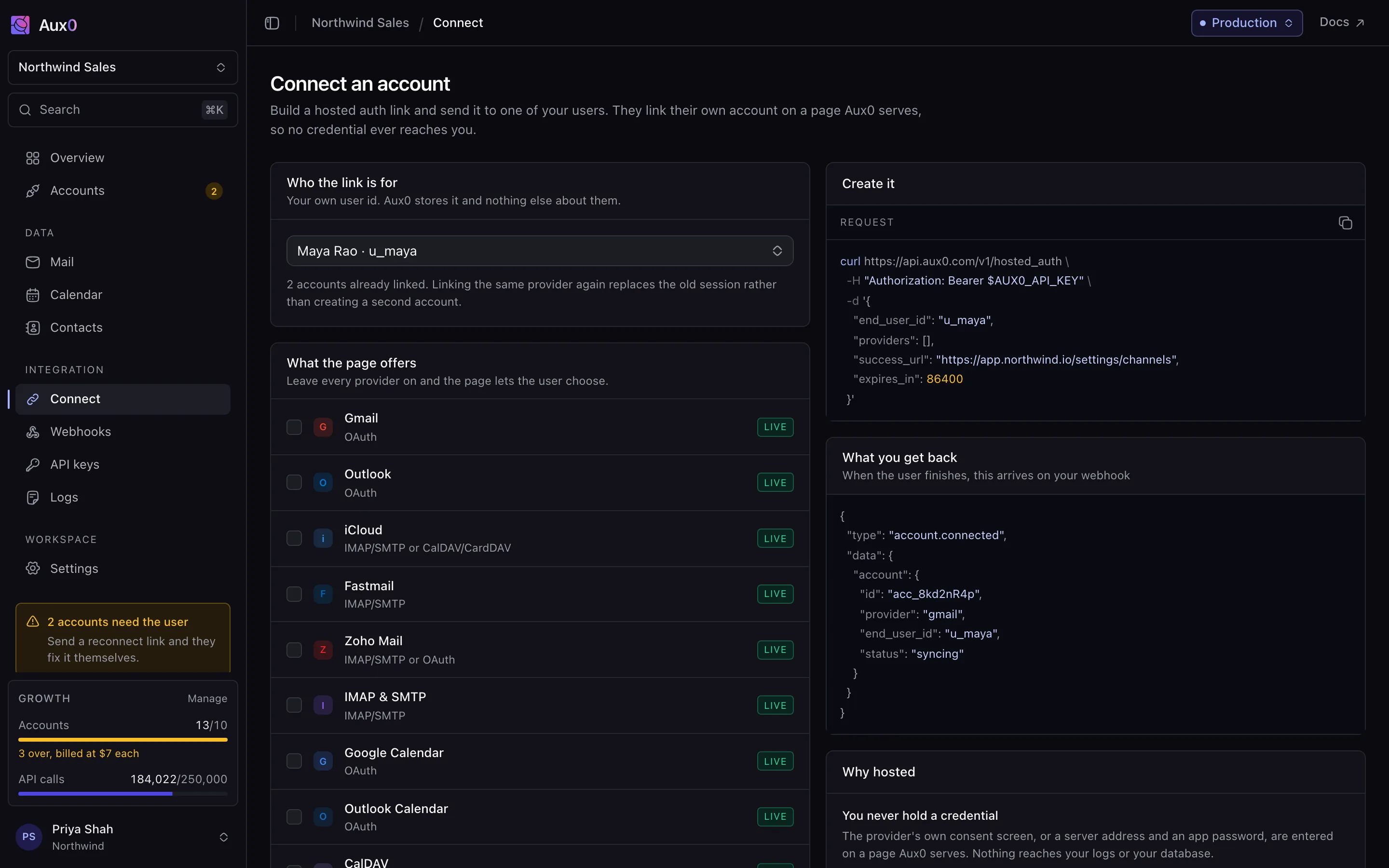
“I need availability and booking across Google, Microsoft and whatever the long tail is using, without writing three calendar integrations.”
Free/busy and events behind one model across Google, Outlook and any CalDAV server, with read-only and draft-only keys.
See the connectors →Engineering lead
A CRM or a revenue platform
“Every deal happens in a thread my product cannot see. I need the history backfilled and new messages arriving as events, not on a poll.”
Backfill on connect, webhooks in seconds, and an identity on every message you can actually match a contact against.
For CRM sync →Platform engineer
A team six months into building it
“The prototype worked. What is eating the team is sync state, token refresh and the quota limits we keep discovering by hitting them.”
Those three things are the product. Cursor recovery, pacing, and reconnects your end users complete themselves.
What we run for you →Head of security
The review that has to sign it off
“I need to know we never hold a credential, who did what, and that I can turn content retention off.”
Credentials are entered on a page we serve; you get an account id. The audit log names the key, and retention is yours to set to zero.
How hosted auth works →Technical founder
An agency or a studio shipping for clients
“Every client wants a different channel and none of them want to see a vendor's name in their product.”
The auth page carries your brand, and adding a provider is a row in your settings rather than another integration sprint.
All twelve connectors →Why Aux0 and not the alternatives
The caseSix integrations, or one
Every provider is its own session model, its own rate-limit regime and its own way of breaking. The work is not reaching one of them; it is keeping all of them working.
6 session models, 6 rate-limit regimes, 6 ways to break. Each one is weeks to build and a permanent maintenance commitment.
One auth flow, one object model, one rate-limit model. Adding a channel is a row in your settings, not a sprint.
Gmail has threads, Microsoft Graph has conversations and IMAP has neither. A feature you write once should behave the same on all three, and that is the whole job.
Every provider, one shape
Read and send email
Everyone can. It is not where the decision is made.
- Aux0
- Yes
- Email-only API
- Yes
- One provider SDK
- Yes
- In-house
- Yes
One thread model across every provider
A single-provider SDK gives you that provider's shape and no other.
- Aux0
- Yes
- Email-only API
- Yes
- One provider SDK
- No
- In-house
- Partial
Calendar and contacts behind the same model
- Aux0
- Yes
- Email-only API
- Yes
- One provider SDK
- No
- In-house
- Partial
Bring your own OAuth client on every plan
- Aux0
- Yes
- Email-only API
- Partial
- One provider SDK
- Yes
- In-house
- Yes
Threading where the server exposes none
IMAP has no thread id. Someone has to compute it.
- Aux0
- Yes
- Email-only API
- Partial
- One provider SDK
- No
- In-house
- No
Quota budgets inside the provider's own windows
In-house means discovering the limit by hitting it.
- Aux0
- Yes
- Email-only API
- No
- One provider SDK
- No
- In-house
- No
Sync cursor that survives a reconnect
- Aux0
- Yes
- Email-only API
- Partial
- One provider SDK
- No
- In-house
- No
Reconnect with a self-serve fix for the user
- Aux0
- Yes
- Email-only API
- Partial
- One provider SDK
- No
- In-house
- No
You never hold a credential
- Aux0
- Yes
- Email-only API
- Yes
- One provider SDK
- Yes
- In-house
- No
Live this month
Official access needs a partner application you may not pass.
- Aux0
- Yes
- Email-only API
- Yes
- One provider SDK
- Partial
- In-house
- No
| Aux0 | Email-only API | One provider SDK | In-house | |
|---|---|---|---|---|
| Read and send emailEveryone can. It is not where the decision is made. | Yes | Yes | Yes | Yes |
| One thread model across every providerA single-provider SDK gives you that provider's shape and no other. | Yes | Yes | No | Partial |
| Calendar and contacts behind the same model | Yes | Yes | No | Partial |
| Bring your own OAuth client on every plan | Yes | Partial | Yes | Yes |
| Threading where the server exposes noneIMAP has no thread id. Someone has to compute it. | Yes | Partial | No | No |
| Quota budgets inside the provider's own windowsIn-house means discovering the limit by hitting it. | Yes | No | No | No |
| Sync cursor that survives a reconnect | Yes | Partial | No | No |
| Reconnect with a self-serve fix for the user | Yes | Partial | No | No |
| You never hold a credential | Yes | Yes | Yes | No |
| Live this monthOfficial access needs a partner application you may not pass. | Yes | Yes | Partial | No |
Against one API per provider
Three providers, three different products
Gmail is a REST API with labels and a history cursor. Microsoft Graph is a different model with folders and delta tokens. IMAP is a protocol from 1986 with neither. Writing against all three is three integrations that drift apart the moment one of them changes.
Against building it
The second version is a person, permanently
Any one mailbox is a weekend to prototype. What takes the year is incremental sync that survives a reconnect, folder and label mapping, threading on servers that expose no thread id, connection pooling for IDLE, and per-account quota pacing — none of it visible when you start, all of it yours forever.
Against Nylas
A published price and the operations in the dashboard
The same providers behind the same kind of unified model. We publish a price at fifty accounts where they quote, and we put the sync state, the quota budgets and the account health on a screen your support team can open.
For your security review
You never hold a credential
Tokens and app passwords are entered on a page we serve. You get an account id. Scope a key to read-only for a pilot, set message retention to zero, and the audit log still names every action.
For your own OAuth app
Bring your own client, or use ours
Start on our verified Google and Microsoft clients and ship today. Move to your own credentials when you want your brand on the consent screen, and it is a configuration change rather than a migration.
For your end users
It is your product, not ours
The auth page carries your logo, colours and copy. The only Aux0 on it is the one line the providers require. Your users never learn there is a vendor between them and their inbox.
Priced per account, never per message
PricingYou pay for the accounts you connect
One connected account is one inbox or profile your user has linked. Send a million messages through it or none; the price is the same.
Free
$0/month
1 account included
Build the integration before you pay for it
- 1 connected account
- Every provider, mail, calendar and contacts
- Unified messaging, email and profile APIs
Starter
$29/month
3 accounts included, then $9 each
A first production workload
- 3 connected accounts, then $9 each
- Hosted auth: your users link their own accounts
- History backfill on connect
Growth
Popular$99/month
10 accounts included, then $7 each
The plan most teams run on
- 10 connected accounts, then $7 each
- Priority sync and a dedicated quota pool
- Account health monitoring and guided reconnect
Scale
$399/month
50 accounts included, then $5 each
Hundreds of accounts, under one bill
- 50 connected accounts, then $5 each
- Dedicated IP ranges and provider-side warm-up
- SAML SSO and SCIM
The questions you were going to ask
FAQIncluding the uncomfortable one
If an answer here is a hedge, we have written it badly. Tell us and we will fix it.
01Do my users see your brand when they connect Gmail?
They see ours until you bring your own Google client, and yours after that. Starting on our verified Google and Microsoft clients means you can ship before your own verification is finished; supplying your own credentials later is a project setting, not a migration, and the accounts stay connected.
You also choose which scopes each project requests. A read-only product asks for read-only access, and your users consent to that and nothing more.
02Do I need my own Google verification?
03What happens when a connection breaks?
It will. A user changes a password, revokes a grant, or rotates the app password an IMAP account was using. Aux0 detects it, marks the account needs_attention, and fires a webhook with a machine-readable code and a sentence you can show the user.
Most of them are self-serve: send the same hosted auth link again and the user clears it in under a minute. Reads keep working on synced history; sends are queued rather than dropped, and go out when the account comes back.